
Find Your GMC Paint Color by VIN
Looking up GMC paint color by VIN helps you access a recreated window sticker for your vehicle, when available. This document can show its original colors and other factory details.
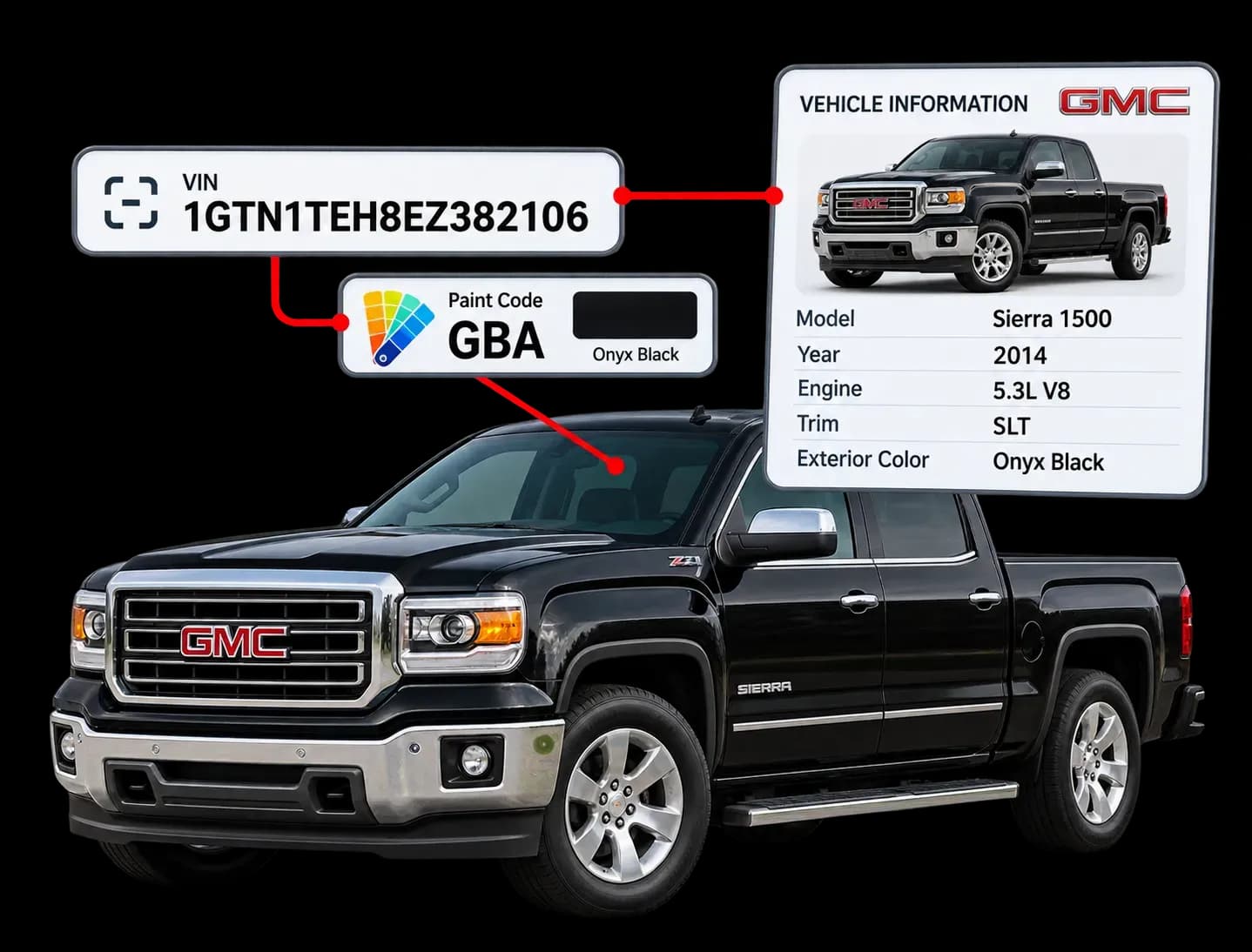
What You’ll Get With a GMC Paint Color Lookup by VIN
Our GMC paint color lookup helps you access a recreated window sticker for your vehicle, which can show its original colors and other factory details. Here’s what to expect:
Interior Color
Discover the original interior color listed for your GMC. This information can help you choose matching seat covers, upholstery, floor mats, and other cabin parts when restoring your vehicle.
Exterior Color
Find the original exterior color listed on your GMC window sticker. Use this information when comparing a used vehicle's appearance or planning a paint repair or restoration.
Example of GMC Factory Colors on a Window Sticker
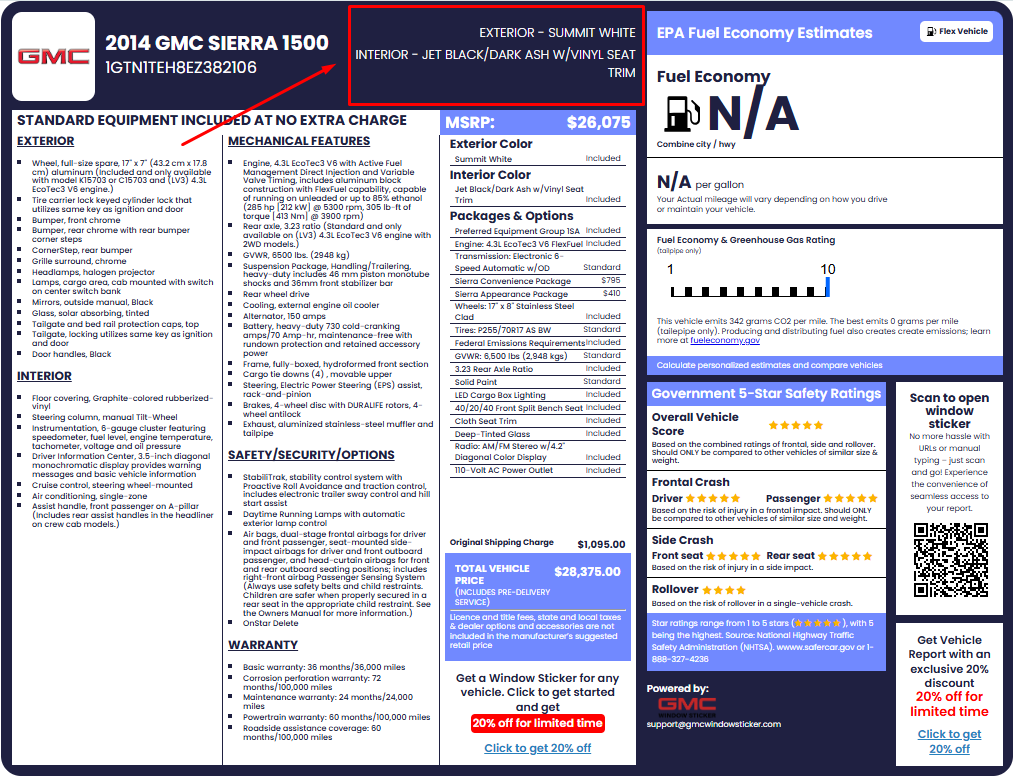
A GMC window sticker can show how a vehicle was configured when new, including its original color information. For example, the available 2014 GMC Sierra 1500 sample includes these factory details:
| Factory detail | Information shown |
|---|---|
| Vehicle | 2014 GMC Sierra 1500 |
| Exterior Color | Summit White |
| Interior Color | Jet Black/Dark Ash |
| Interior Trim | Vinyl Seat Trim |
| Exact Paint Code | Not Available |
← Scroll horizontally to see more →
Why Look Up a GMC Paint Color by VIN?
A GMC paint color lookup can help you learn how your vehicle looked when new. It is useful for owners, buyers, sellers, and people restoring older GMC models.
Identify Your GMC's Original Color
A GMC paint color by VIN lookup can help identify the original exterior color name using available window sticker data. Compare the factory color with your vehicle's current finish or documentation.
Support Paint Repairs and Restoration
Knowing your GMC's original color can help when repairing scratches, chips, or faded paint. Compare the listed color with the current finish before choosing touch-up paint.
Check a Used GMC Before Buying
Use the original color information to compare a used GMC with its advertised details. A different color may mean the vehicle was repainted, although it does not prove damage.
Verify Vehicle Details Before Selling
Sellers can use the original color information to describe a GMC more accurately. It can also help answer buyer questions about its appearance and factory configuration.
How to Check a GMC Paint Color by VIN
You can check your GMC's original color information in three simple steps. Enter your vehicle details, preview the results, and access the window sticker when available.
Enter the GMC VIN
Enter your GMC's 17-digit VIN in the form at the top of this page. You may also search by US license plate or year, make, and model.
Submit the Form
Search the VIN to preview vehicle specs such as the year, make, model, and engine. Check that these details match the GMC you want to look up.
Access GMC Original Paint Color
Purchase the GMC window sticker to review original interior and exterior colors, factory options, and other vehicle details. Availability depends on the vehicle and records held by the service.
What a GMC Paint Color Lookup Cannot Reveal
A GMC paint color lookup cannot provide the exact paint code. The VIN identifies the vehicle, but the paint code itself is not directly readable from every VIN decoder. The results depend on the vehicle records available to the service.
A window sticker can show the original color information, but it cannot confirm the vehicle's current paint condition. It also cannot prove that the GMC has never been repainted, repaired, or exposed to weather and sunlight.
Where Can You Find the GMC Paint Code?
GMC paint codes are typically found on vehicle identification labels rather than encoded directly in the VIN. Label locations vary by model and year. Check these common places before ordering replacement paint.
Glove box
Many older GMC models have a Service Parts Identification label inside the glove box containing paint information and factory option codes.
Driver's door area
Check the driver-side door opening or certification label. Some newer models provide vehicle information through a scannable code.
Other vehicle labels
Label locations differ by model year. Consult your owner's manual for the appropriate location.
GMC dealership
If the original label is missing or unreadable, ask a GMC dealer to help identify the paint information using your VIN.
Check Original Paint Colors for GMC Models
Our GMC lookup tool can help you search supported models, from everyday SUVs to work trucks and older vehicles. Popular GMC models include:
| Sierra 1500 | Acadia | Envoy XUV | Sierra 2500HD | Yukon |
| Jimmy | Sierra 3500HD | Yukon XL | Sonoma | Canyon |
| Envoy | Syclone | Terrain | Envoy XL | Typhoon |
| GMC Safari | EV Pickup | Caballero | Savana | Hummer EV SUV |
← Scroll horizontally to see more →
Additional GMC VIN Tools for a Smart Buy
Explore other GMC lookup tools to find and learn more about your vehicle's original features and available records.
FAQ about GMC Paint Color by VIN
What Are GMC Paint Codes?
A GMC paint code is the manufacturer’s identifier for the exact factory color formula used on your vehicle. Body shops, dealerships, and paint suppliers use this code to mix an accurate color match for repairs or repainting.
Does the VIN directly contain gmc paint codes by vin?
Not directly. A VIN usually doesn’t contain the factory paint code itself, but it can be used to access manufacturer records that list the original exterior and interior colors the vehicle left the factory with.
What does the paint code look like?
Paint codes are typically short combinations of letters and numbers assigned by the manufacturer. The format varies by brand—Ford codes may be 1–2 letters (like UA or YZ), GM codes often start with WA followed by numbers (like WA8555), and Toyota/Lexus codes are often three characters (like 1C8 or 040).
How do I find interior paint or color codes?
Interior color information may appear on vehicle labels, trim tags, or manufacturer build records. A VIN lookup can also help confirm the original interior color from factory or Build sheet records.
What if I can’t find my paint code?
If the label is missing, damaged, or unreadable, you can still identify the original exterior and interior colors through manufacturer records linked to the VIN. That gives you a reliable reference for factory color information.
Do all vehicles have paint codes in the same location?
No. Paint code placement varies by manufacturer, model, and year. That’s why VIN-supported color information is often used when the label is hard to locate or no longer present.
Can I Find My GMC Paint Color by VIN?
Yes, you can find your GMC's original paint color by VIN by getting the window sticker. The exact paint code may require checking the vehicle's label.
How Do I Find My GMC Paint Code?
To find your GMC paint code, check the vehicle information label, often located on the driver's door area or inside the glove box on some older models. Locations vary by year.
Where Is the GMC Paint Code Located?
To locate a GMC paint code, check the driver's door area, glove box label, owner's manual, or ask a GMC dealer for help.
Can I Find GMC Touch-Up Paint by VIN?
A GMC VIN lookup may help identify the original color, but it may not provide the exact paint code. Confirm the code with a GMC dealer before buying touch-up paint.
Can Two GMC Vehicles Have the Same Paint Code?
Yes, two GMC vehicles can share the same paint code when they use the same paint formula. Always check the code and vehicle details before ordering paint.
What Should I Do If My GMC Paint Code Is Missing?
If your GMC paint code is missing, check the owner's manual and other vehicle labels. A GMC dealer or paint specialist may help identify the correct code using your VIN.